SME Cybersecurity: is MFA still a best-practice pillar for UK SME Cybersecurity in 2026?




SME Cybersecurity News | SMECYBERInsights.co.uk
SME Cybersecurity News – Helping Keep UK SMEs CYBERSafe with Daily News, Threat Intel & Best-Practice

Gibraltar: Tuesday, 07 April 2026 – 07:00 CET
SME Cybersecurity: is MFA still a best-practice pillar for UK SME Cybersecurity in 2026?
By: Iain Fraser – Cybersecurity Journalist
Published in Collaboration with:
Securus Technology Group
SMECyberInsights.co.uk – First for SME Cybersecurity
Google Indexed PZero on: 070426 at 09:35 CET
#SMECyberInsights #SMECybersecurity #SMECyberInsights #SME #CyberSafe #CyberSecurity #Cybersecurity #MFA #5Pillars
SME Cybersecurity: is MFA still a best-practice pillar for UK SME Cybersecurity in 2026?
Yes, MFA is still a pillar, but only if it is deployed properly
MFA has not “died”. What has died is the idea that any second step automatically equals strong security. For UK SMEs, multi-factor authentication (MFA) remains one of the highest-impact, lowest-cost controls you can roll out; it directly reduces account takeover risk, which is behind a huge amount of fraud and ransomware.
The uncomfortable reality is adoption is still lagging. The UK Government’s Cyber Security Breaches Survey 2025 found only 40% of businesses have implemented two-factor authentication, despite it being a straightforward control for email and cloud logins. That gap is a gift to attackers, especially when SMEs rely on Microsoft 365, Google Workspace, Xero, and remote access tools.
What is MFA, and why was it introduced in the first place?
MFA is a login method that requires two or more independent factors to prove a user is legitimate. Usually that means:
* Something you know: a password or passphrase
* Something you have: an authenticator app prompt, hardware key, or one-time code
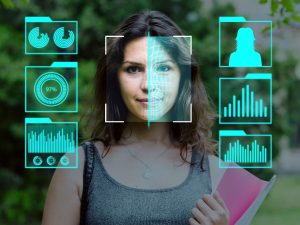
* Something you are: biometrics such as fingerprint or face unlock
The reason MFA exists is simple: passwords leak. People reuse them, attackers phish them, malware steals them, and breaches expose them. When a password is the only barrier, a criminal does not need to “hack”; they just log in.
Why MFA still matters for SMEs: identity is the first line of defence
Credential theft and reuse remain a primary route into business systems. Verizon’s DBIR highlights credential abuse as an initial access vector in 22% of breaches (and it remains one of the top initial actions overall). That lines up with what most SME advisers see in practice: compromised email accounts leading to invoice redirection, fake payroll changes, supplier fraud, and ransomware deployment via remote access.
At the same time, public reporting continues to underline just how industrialised credential leakage has become. HaveIBeenPwned has processed datasets involving billions of records, including reporting around 1.3 billion passwords in a major corpus. The detail is less important than the takeaway: assuming your users’ passwords are already “out there” is a sensible risk posture.
Is MFA always effective, or can attackers bypass it?
Attackers can bypass weak MFA, or MFA deployed without thought. Common SME failure modes include:
* SMS codes only, which are vulnerable to SIM swap and interception
* MFA fatigue attacks, where repeated push prompts trick staff into approving one
* No conditional access, meaning logins from anywhere are treated the same
* No controls on legacy protocols, which can sidestep MFA in some setups
That said, for most SMEs, properly configured MFA is still the difference between “phished password” and “contained incident”. It reduces the success rate of the most common attacks, which is exactly what time-poor organisations need.
Actionable guidance: MFA rollout steps that actually work for small businesses
This is the practical, budget-friendly playbook I would use with a 10–250 person UK firm with outsourced IT.
1) Start where the risk is highest
Prioritise MFA in this order:
1. Email and Microsoft 365/Google Workspace admin accounts
2. Remote access (VPN, RDP gateways, remote support tools)
3. Finance platforms (banking, payroll, accounting)
4. Password manager and device management (MDM)
This is classic “reduce blast radius” thinking, and it maps cleanly to Cyber Essentials access control expectations.
2) Use stronger factors by default
* Prefer authenticator apps (TOTP) or number-matching push over SMS
* For directors, finance, and admins, consider hardware security keys for phishing-resistant MFA where supported
3) Make MFA harder to socially engineer
* Turn on number matching and additional context in prompts (where available)
* Train staff on one rule: unexpected prompt = deny and report
* Limit who can reset MFA; require verification via a second channel
4) Add basic conditional access, even if you keep it simple
* Block logins from high-risk locations if your platform supports it
* Require MFA again for risky actions, such as adding payment beneficiaries or changing forwarding rules
5) Fix the operational bits SMEs forget
* Create break-glass admin accounts with tightly controlled access
* Maintain a simple joiner-mover-leaver process so ex-staff do not keep app access
* Log and review sign-ins; it is often your earliest indicator of an attack
Authority and evidence: what UK guidance expects
UK Government-backed guidance consistently treats MFA as a sensible baseline for protecting cloud services and remote access, and Cyber Essentials places strong emphasis on secure access control and good configuration hygiene.
If you process personal data, UK GDPR expects “appropriate technical and organisational measures” based on risk. In plain English: if your business relies on cloud accounts to hold customer data, strengthening identity controls such as MFA is a very defensible, proportionate step.
Pick your single most important system (usually Microsoft 365 or Google Workspace) and roll out MFA to all users this month, starting with admin and finance accounts, then locking down legacy access and reset processes.
SECURUS Communications Ltd
Securus is a managed communications Operator, providing next-generation network infrastructure and value added services to Managed Hosting providers and the ‘cloud generation’ of enterprises. Securus priority is to offer communication services that represent excellent value for money and are backed by exceptional levels of support.
Contact Securus
Securus Communications Ltd
Station Road, Landmark house, Hook, England RG27 9HA, GB
T: Enquiries: 03451 283457 | Service Desk: 03451 283458
Securus on LinkedIn | Securus on “X” | https://securuscomms.com